Rachio 3 Review After One Summer: My Lawn Improved After Adjusting the Settings
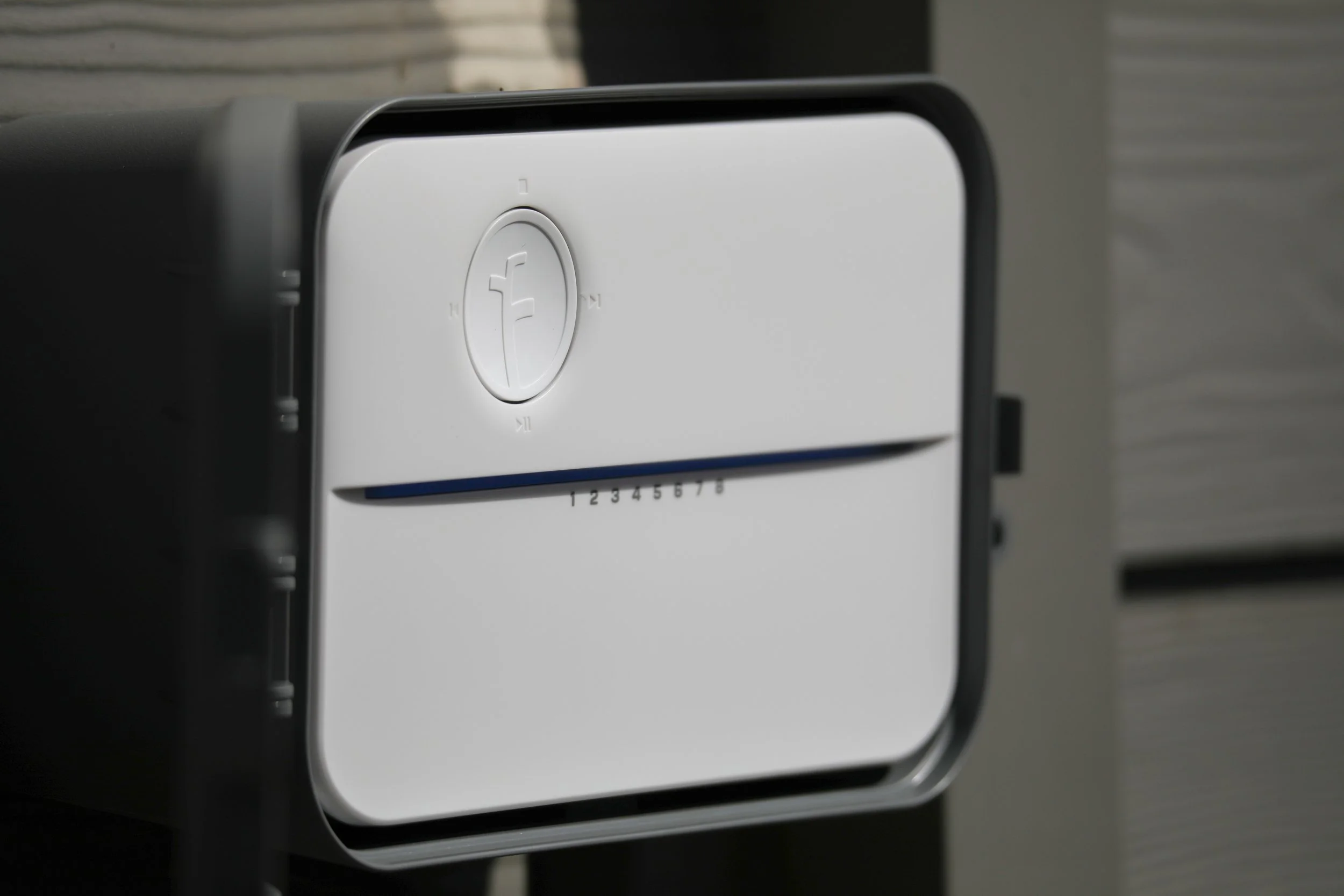
After a full summer with the Rachio 3, the biggest lesson I learned is that installation and fine-tuning are two different things.
Getting the controller installed and connected was straightforward. Getting the watering to work well for my lawn took some additional attention to the zone settings.
Once I adjusted some of the advanced settings, the system worked great and my lawn noticeably improved. I don’t remember exactly which values I changed, so I can’t give you a precise before-and-after recipe. But I can share my experience, show the settings currently in my app, and explain what I would pay attention to during setup.
Installation was the easy part
I have four watering zones, and getting the Rachio 3 running was one of the smoother home-tech installations I’ve done.
If you’re looking for the installation details, I covered those in my original Rachio 3 review.
This review is about what happened after setup and why I found it worthwhile to revisit the settings once I saw how my lawn responded.
What made the difference for my lawn
My lawn wasn’t getting the results I wanted at first. After going back into the app and changing some of the advanced zone settings, I saw a noticeable improvement.
I wish I could tell you that I changed one particular number and everything immediately fell into place. I don’t remember the adjustments well enough to make that claim.
What I can say is that taking the time to fine-tune the system made a real difference in my experience. That was the point when I became much happier with the Rachio.
A look at my current zone settings
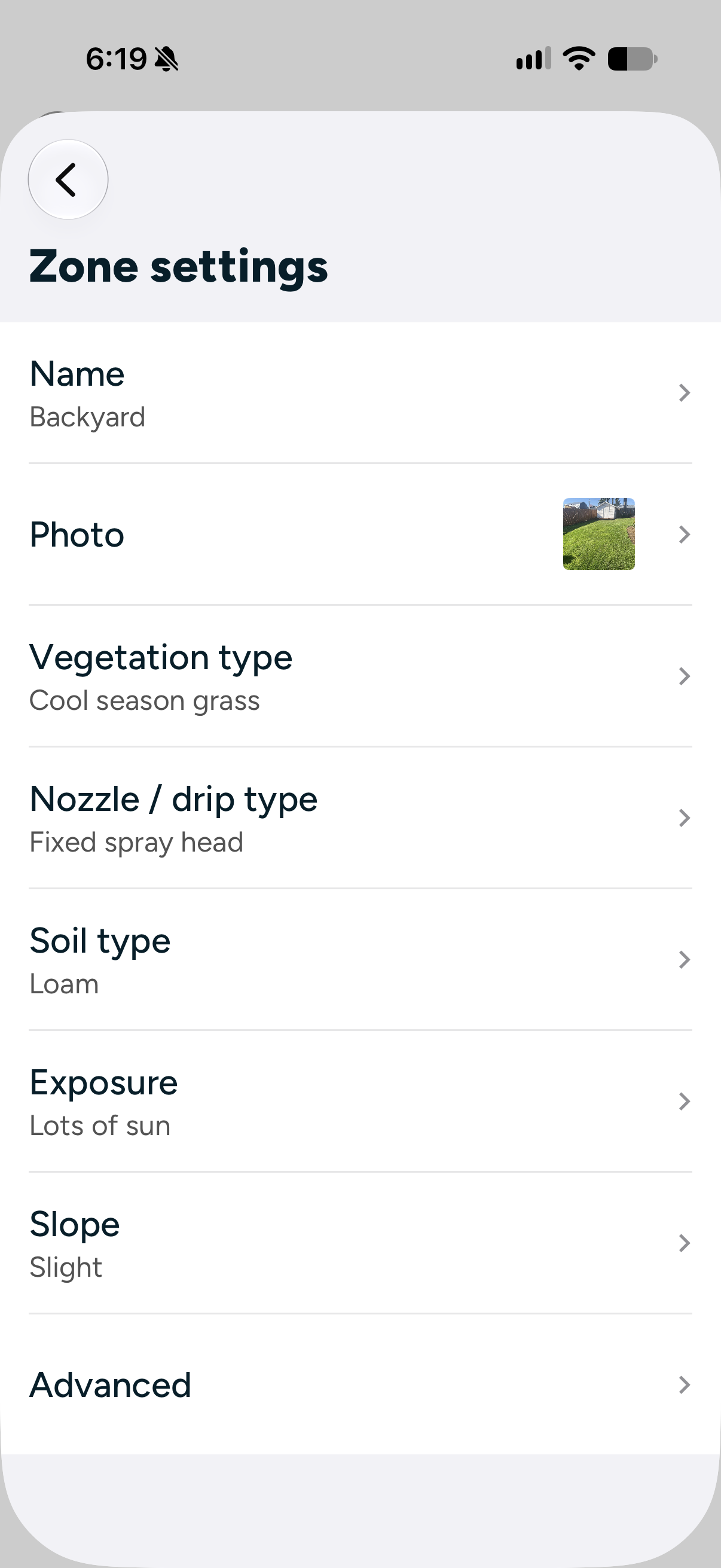
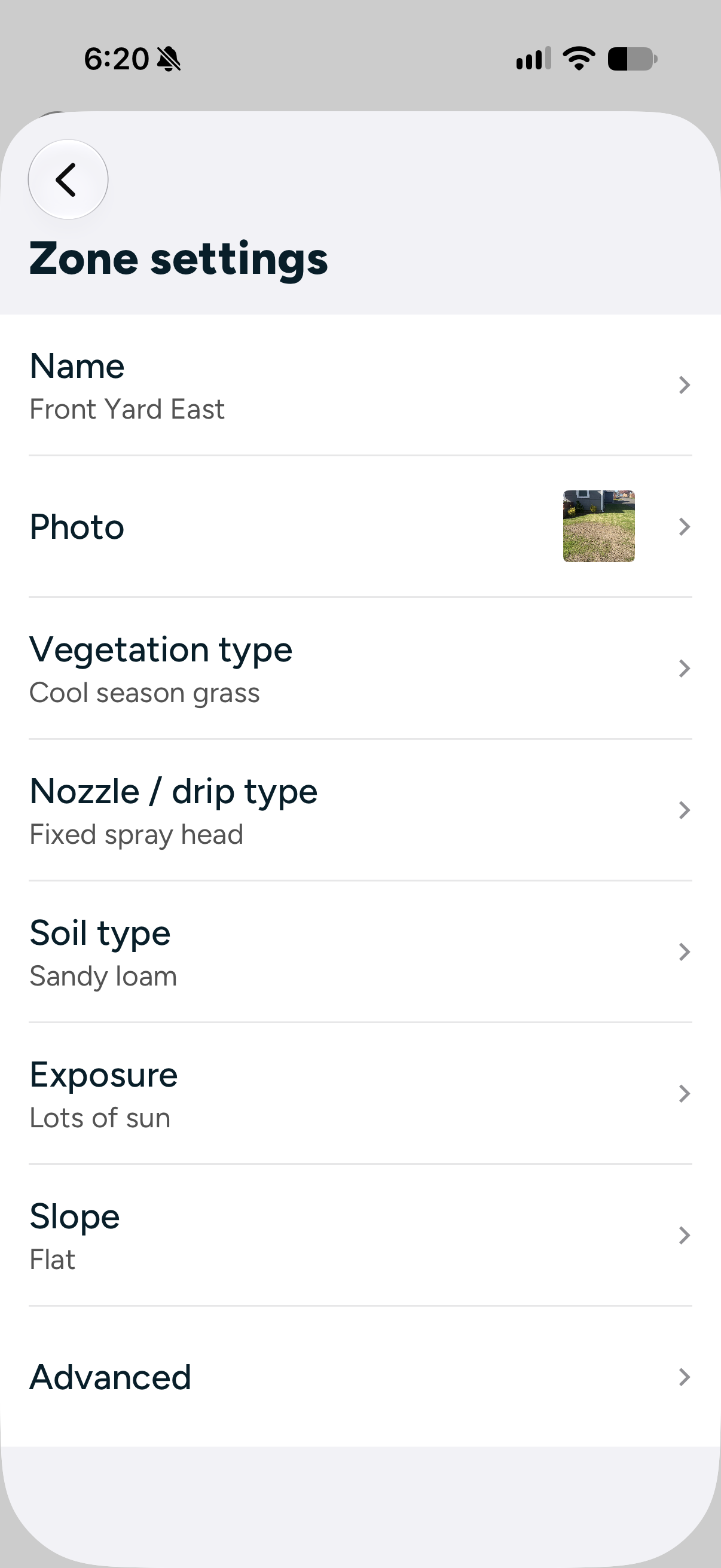
These are the basic settings currently shown in my app for two of my zones:
These are the details I have entered in the app, rather than independently verified measurements of my soil or lawn.
Even within the same yard, the settings aren’t identical. My backyard is entered with a slight slope and loam soil, while Front Yard East is entered as flat with sandy loam.
What my advanced-settings screenshots show
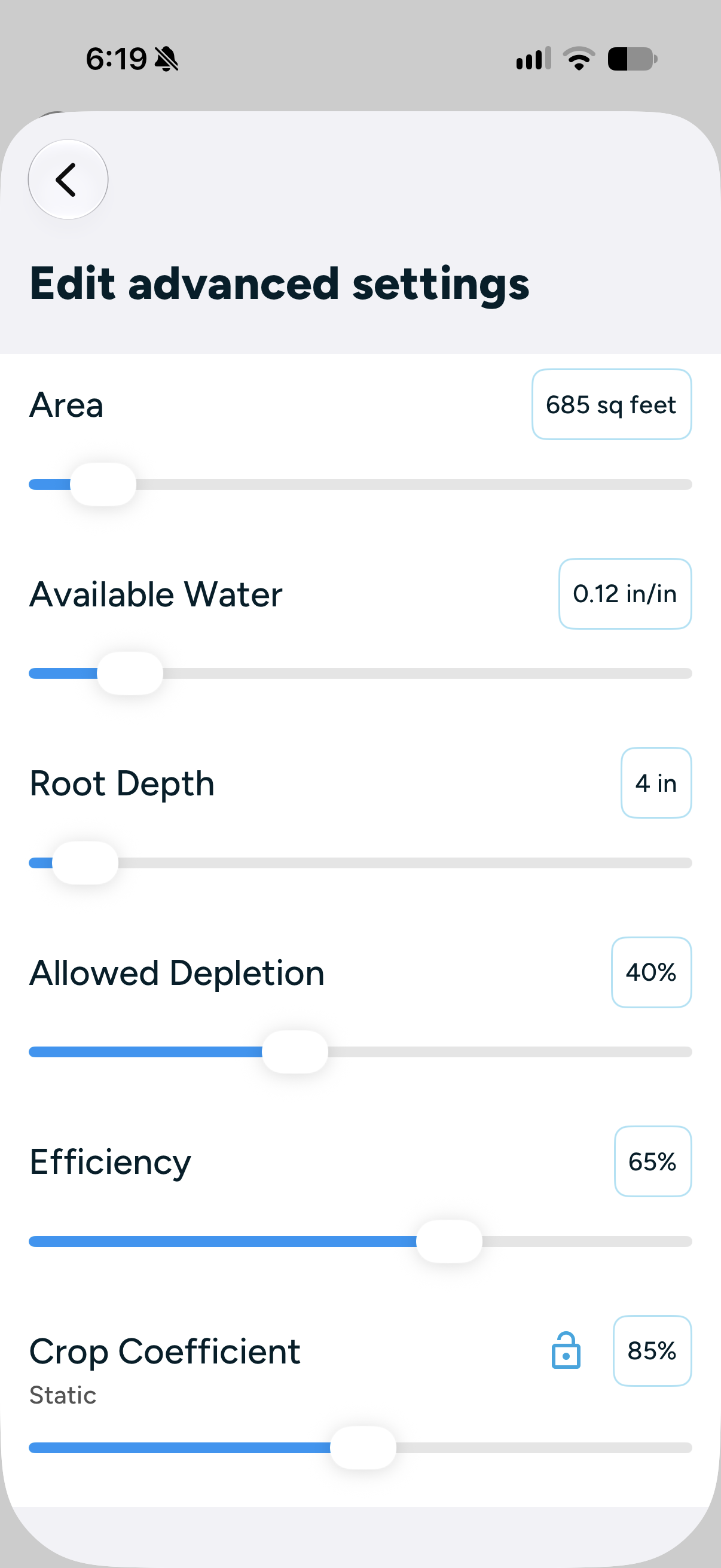
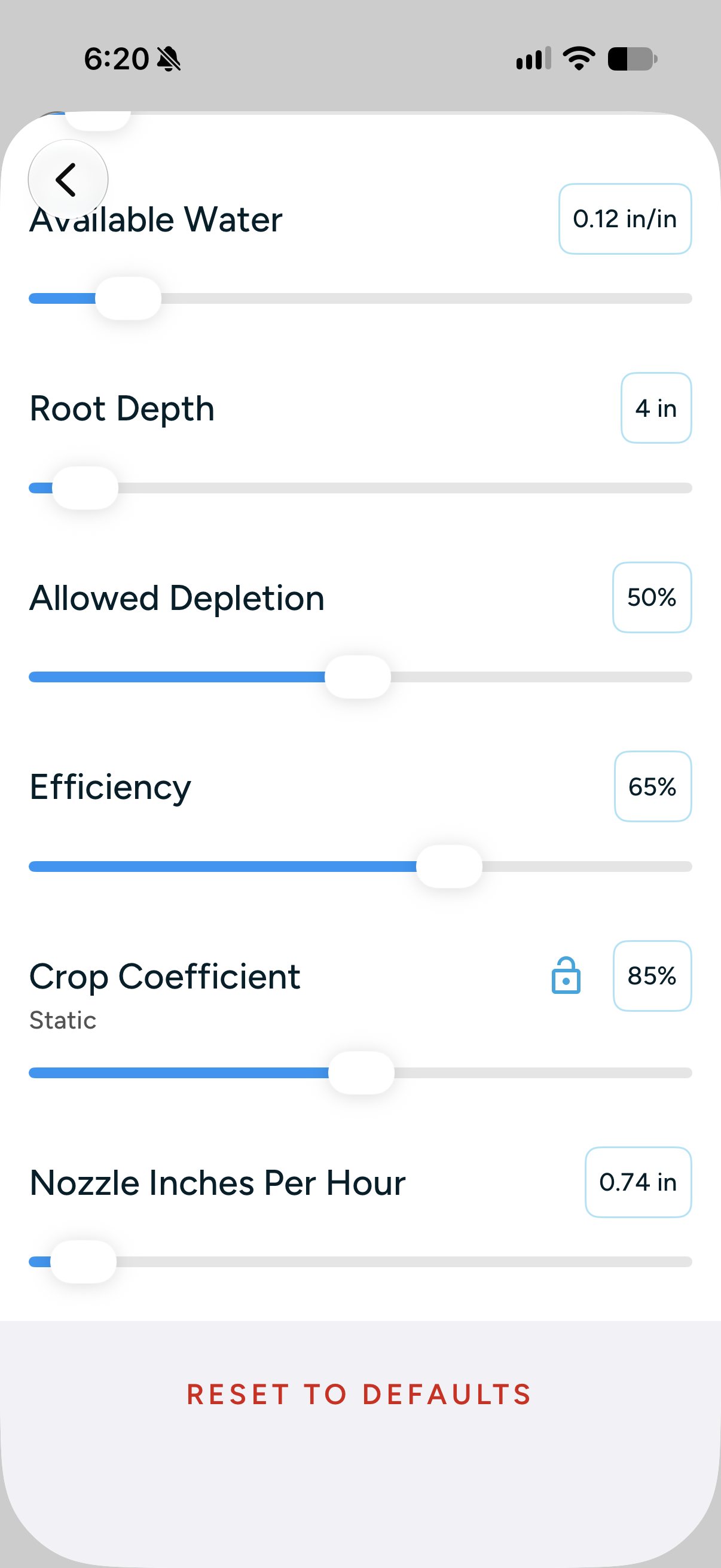
The advanced-settings screens I captured include:
Available water: 0.12 inches per inch.
Root depth: 4 inches.
Allowed depletion: 40% in one screenshot and 50% in the other.
Efficiency: 65%.
Crop coefficient: 85%, shown as static.
Nozzle inches per hour: 0.74 in the screenshot where that field is visible.
Area: 685 square feet in the screenshot where that field is visible.
These are my current settings, shared as an example of my setup. They aren’t universal recommendations for other lawns.
I’m sharing them as a look inside my setup, rather than a list of settings everyone should copy.
Why the advanced settings deserve attention
Rachio’s documentation explains that zone settings influence how its Flex schedules calculate watering. Settings such as root depth, available water, and sprinkler precipitation rate help describe the lawn and irrigation system the controller is managing. Their effects depend on the schedule being used. Rachio’s guide to zone settings and Flex schedules
You don’t need to become an irrigation expert to appreciate the practical lesson: getting the controller online is only part of setup. It also needs information that reasonably matches each zone.
My experience made me appreciate that second part much more.
Using Rachio alongside my Tempest weather station
I also use a Tempest weather station with my Rachio setup. Having both devices is part of what interests me about garden technology: using information from my own yard to make the system more useful.
I discuss the weather station separately in my Tempest review.
Because I also adjusted the Rachio settings, I can’t separate how much of the lawn improvement came from each part of the setup.
Would I buy the Rachio 3 again?
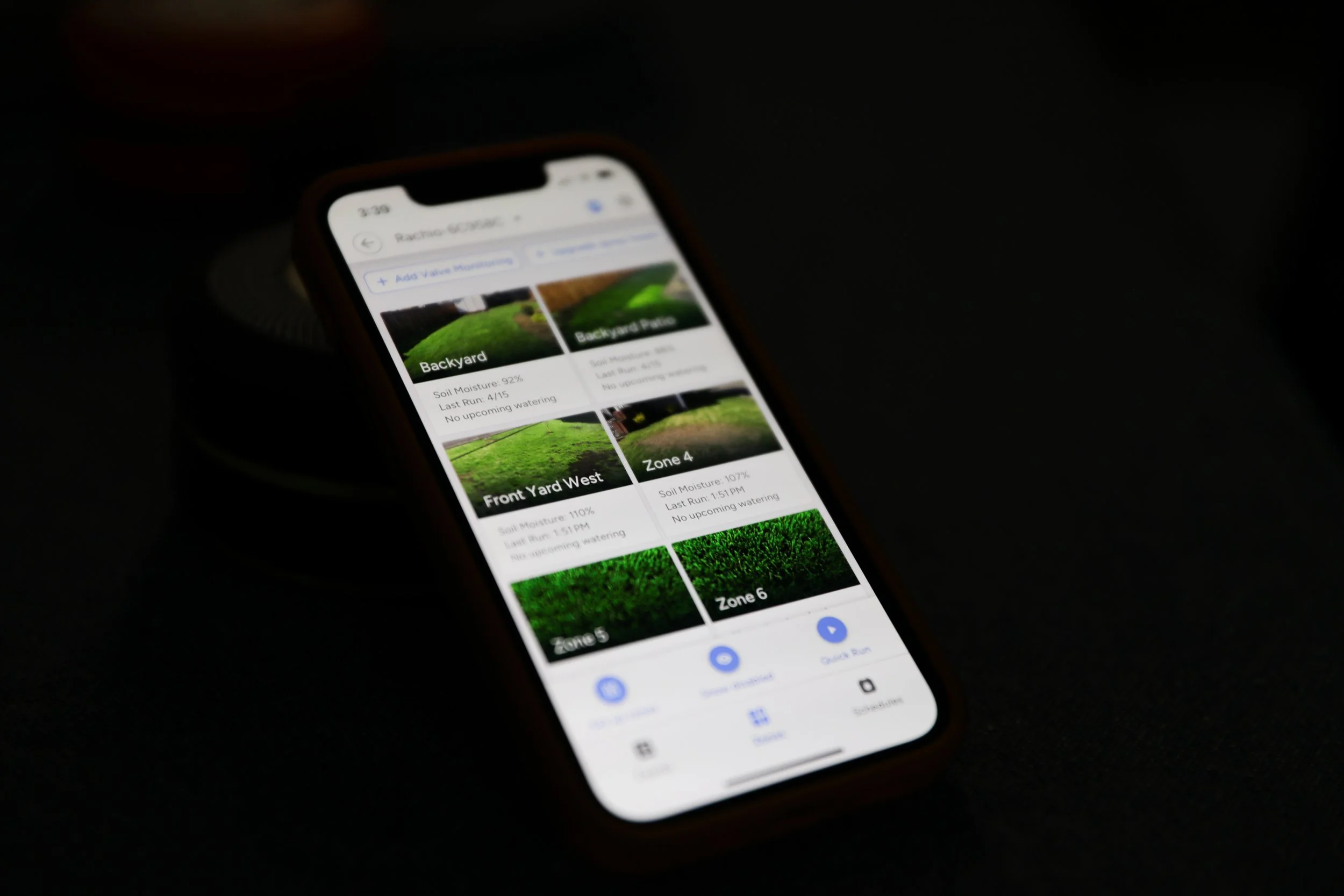
Based on my experience after a full summer, yes.
Installation was straightforward, and I was pleased with how the system worked after I spent more time on the settings. The improvement in my lawn is the main reason I’m happy with the purchase.
The learning curve is worth mentioning, though. My experience wasn’t simply installing the controller and never thinking about watering again. I needed to revisit the setup before I got the results I wanted.
If you’re considering a Rachio 3, that’s the expectation I would bring: an easy installation, followed by some attention to how your own lawn responds.